
Prosperity

Version 2.6.3

Updated 27th October 2026

About
Managing multiple bank accounts causing you headache? Tax returns a nightmare? Then you need Prosperity, the easy-to-use accounting app.
Prosperity lets you view and manage transactions across multiple bank accounts. Importing data from bank accounts is super simple. Just export a csv file and then import into this app. You can set categories and tags on transactions to allow you to group things together. Define rules in the app to make importing repeating transactions fast. Once your data is imported, you can set date ranges and filters to find the data you want, with a handy total at the bottom. The app also includes pages showing stats and totals so you can effectively manage your money.
Are you a business user? If yes, this app also supports easy filters for filing your tax returns. Coming soon, the app will also support tenancies for rental properties.
Ready to streamline your financial life? Get started today.
Features
- Use right in your browser, login with your free Barking Universe account and get started right away.
- Add any number of bank accounts.
- Easily import data from your bank accounts. Simply export your transactions as a csv file and import into Prosperity.
- Add rules to define what categories/tags to set on imported data to speed up the process.
- Set the date range of transactions to show, including months, years and tax years.
- Page showing stats per bank account, category and tag so you can see where most of your money is going.
- Page showing totals per month and year so you can see how much you are spending/saving.
- All data is stored securely and the app can optionally be locked with a passcode.
- Plus all the other stuff you would expect, searching, filtering, sorting etc.
- Optimised to work effortlessly on mobiles, tablets and desktop devices.
- Works in all modern web browsers (Chrome, Firefox, Edge & Safari) on PC, Mac, Linux, Android & iOS.
- Option to install the app to easily access it from your home screen/desktop (Chrome & Edge only).
- All features completely free for personal use.
Screenshots
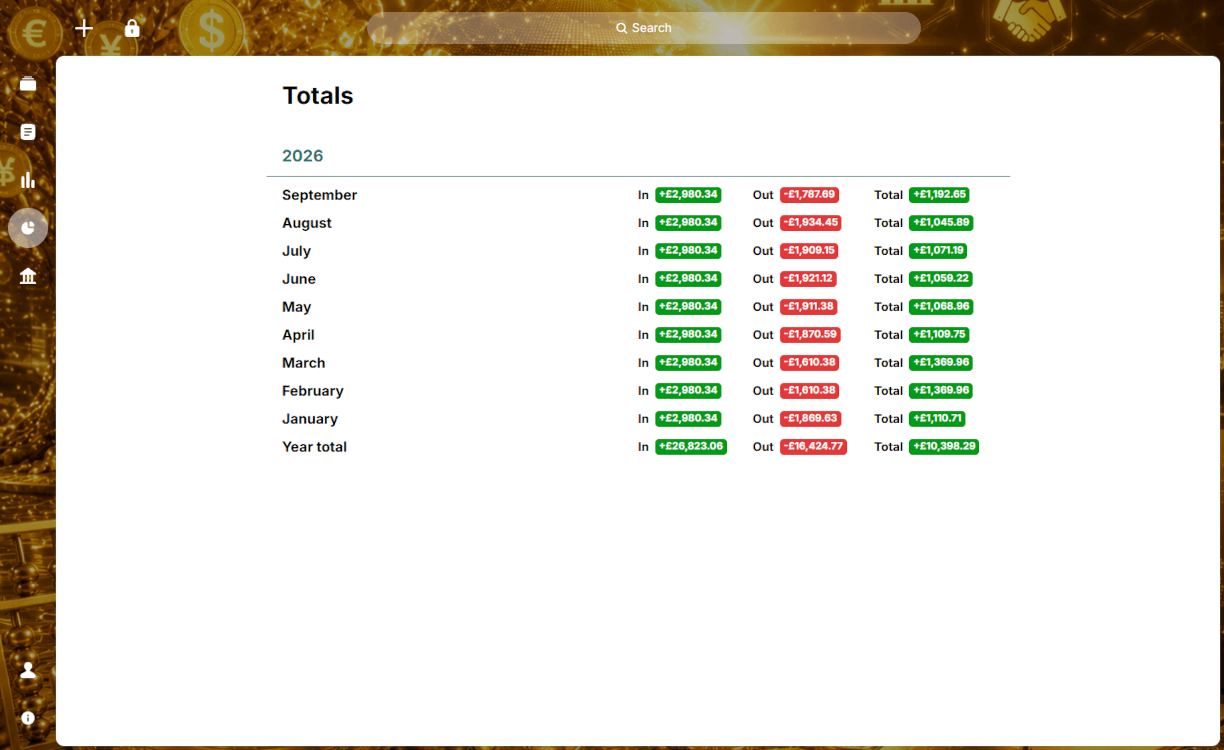 Totals for each month and year4/4
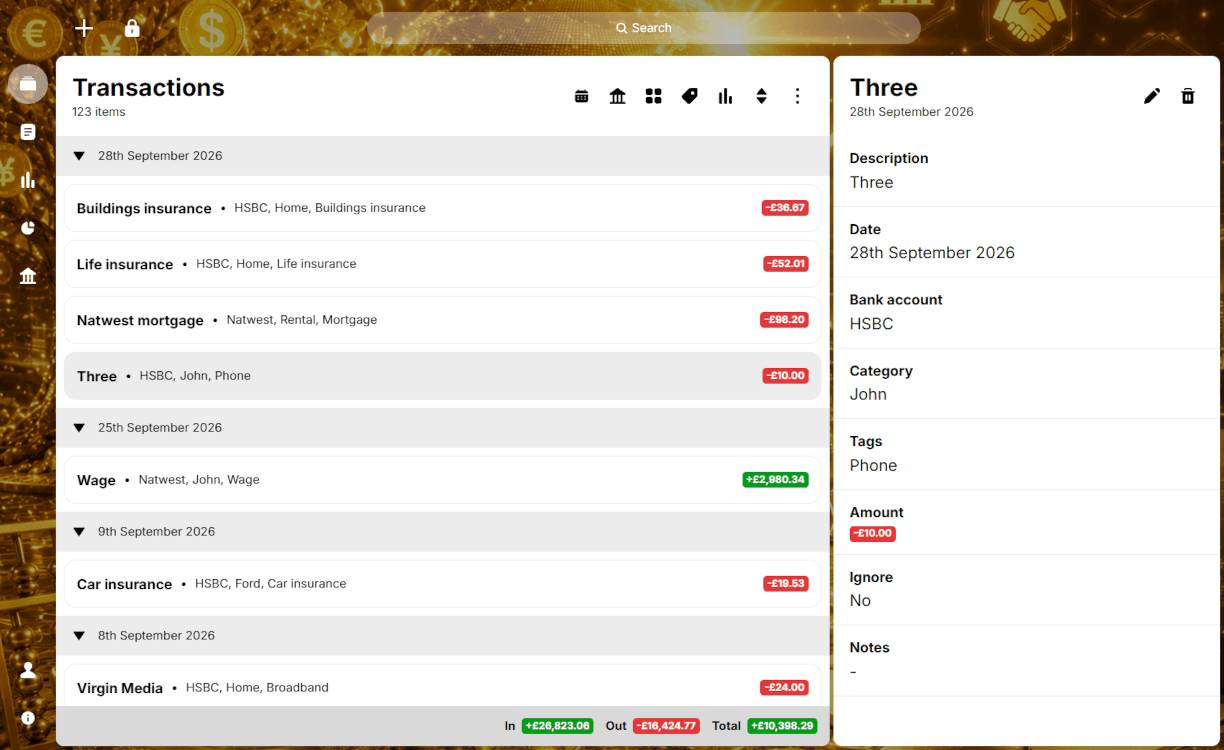 List of transactions for the current date range/filters1/4
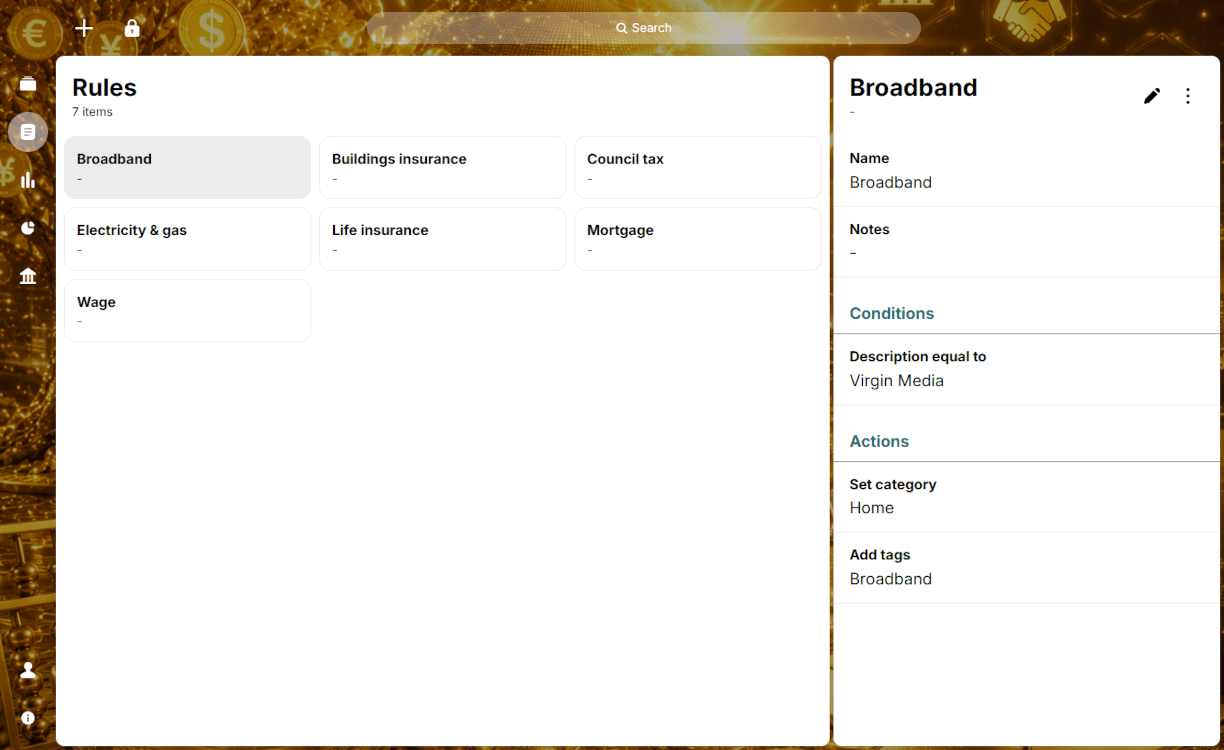 The rules that are used to speed up importing data2/4
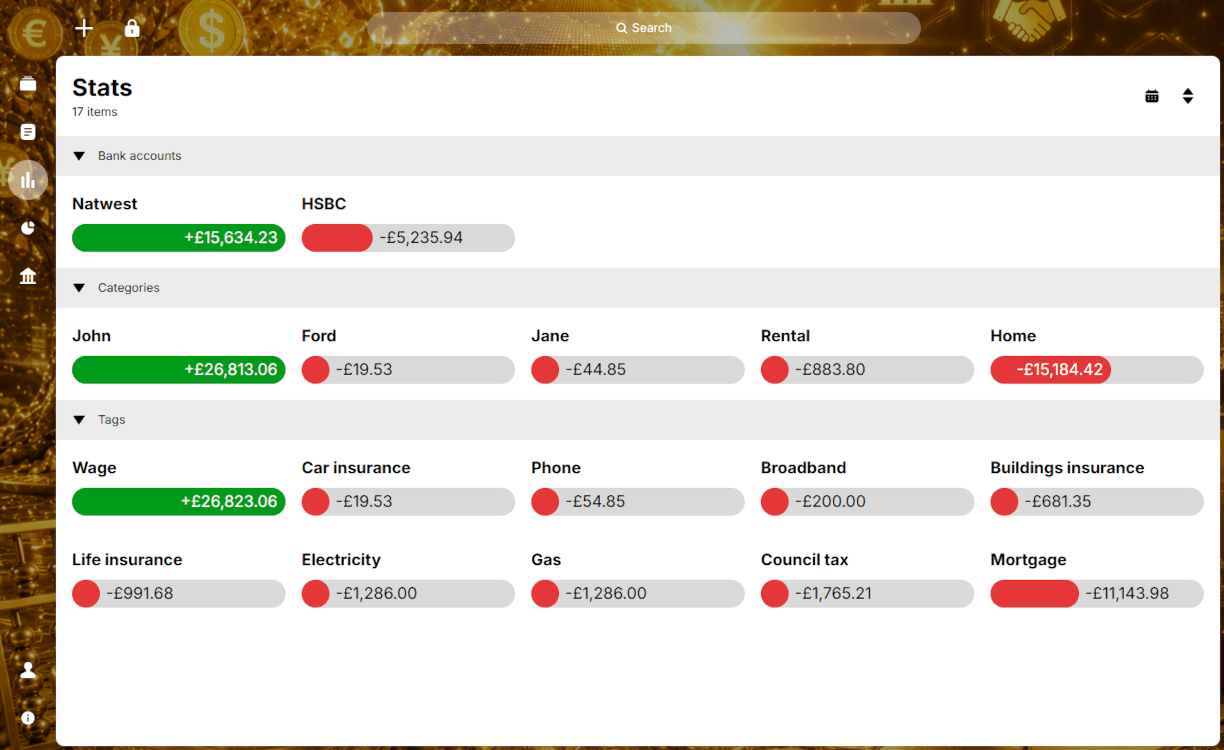 Stats for your bank accounts, categories and tags3/4
- Totals for each month and year4/4
- List of transactions for the current date range/filters1/4
Enjoyed this content? Share it with your friends!


More apps to discover

Make organising and planning projects a breeze

Store pictures and complex data in one place

One app to manage your emails, contacts, events and notes




Disclaimer
App is copyright to James M. Young. App cannot be copied or hosted by anyone else. Please feel free to link to this page.
Issues running the app? Please check the help & support page to see if this can help you.
If you spot anything that is wrong, have suggestions or comments, then please get in touch on our contact page.